🌐 Network Settings
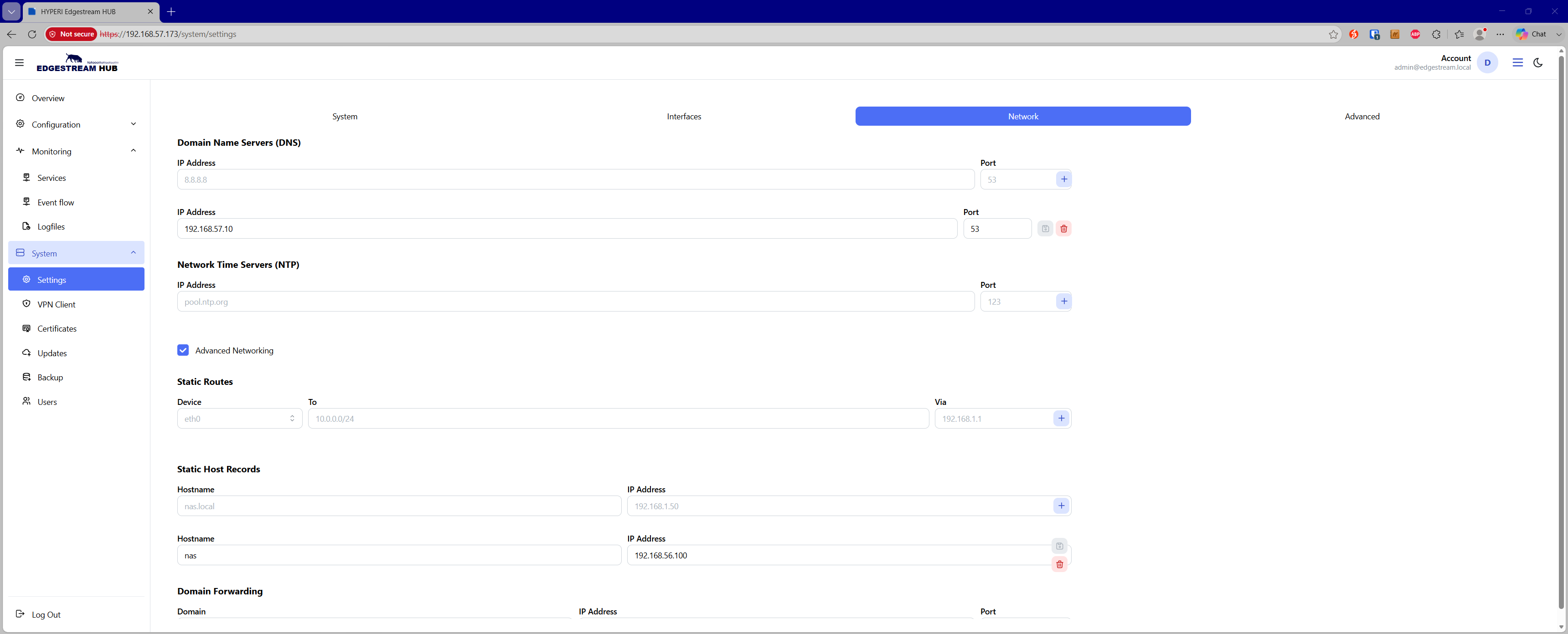
The Network Settings page allows administrators to configure core name resolution, time synchronization, and advanced routing or host configurations for the EdgeStream Hub appliance.
Core Network Services
The primary interface manages essential infrastructure servers:
Domain Name Servers (DNS) — Configure DNS resolvers by specifying an IP address and port (defaulting to port 53). Entries can be added, updated, or removed individually.
Network Time Servers (NTP) — Manage time synchronization servers by providing an IP address and port (defaulting to port 123).
Advanced Networking
Enabling the Advanced Networking toggle unlocks granular routing and custom name resolution options:
Static Routes — Define custom network routes by choosing a physical network device interface, entering a destination in CIDR format (featuring automatic IPv4 CIDR validation and host-bit normalization), and specifying the next-hop gateway (
Via).Static Host Records — Map custom hostnames to specific IP addresses for local static resolution.
Domain Forwarding — Route queries for specific internal domains to designated upstream forwarders by configuring the target domain, server IP address, and port.