💾 Backup & Restore
The Backup & Restore page allows administrators to manually export and restore EdgeStream Hub configuration files, as well as configure automated, scheduled backups to local disk or cloud object storage.
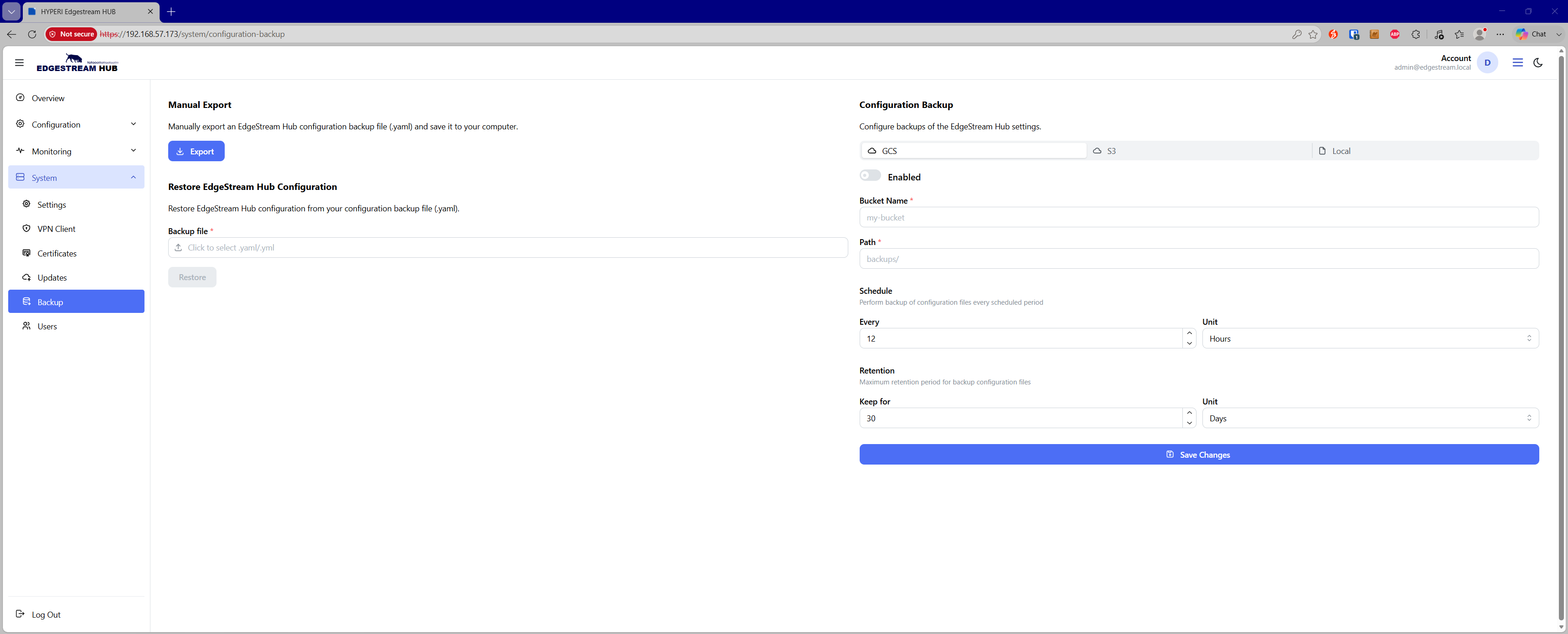
Manual Export & Restore
Export Configuration — Exports the current active EdgeStream Hub configuration as a portable
.yamlbackup file to your local computer.Restore Configuration — Uploads and restores an existing configuration backup (
.yamlor.yml), applying settings across appliance services via a managed background task.
Automated Backup Targets
Administrators can schedule periodic configuration snapshots across three storage provider types:
Local File Storage (
file) — Stores snapshots directly on appliance disk storage using a designated directory path.Google Cloud Storage (
gcs) — Transmits automated snapshots to a target GCS Bucket Name and subfolder path.Amazon S3 (
s3) — Streams automated snapshots to AWS S3 or compatible object storage, configuring the Target Bucket, Path, Region, Access Key ID, and Secret Access Key.
Scheduling & Retention Policies
Each backup provider supports independent execution and lifecycle policies:
Schedule Interval — Defines execution frequency in customizable units (e.g., every $1$ to $N$ hours or days).
Retention Policy — Dictates the lifecycle duration for retaining historical backups before older archives are automatically pruned (e.g., keep for $N$ hours or days).