🛡️ VPN Client
The VPN Client interface allows administrators to configure, manage, and monitor secure outbound WireGuard and OpenVPN tunnels. These tunnels are primarily used to securely route forwarded telemetry and log events to remote destination sinks over encrypted networks.
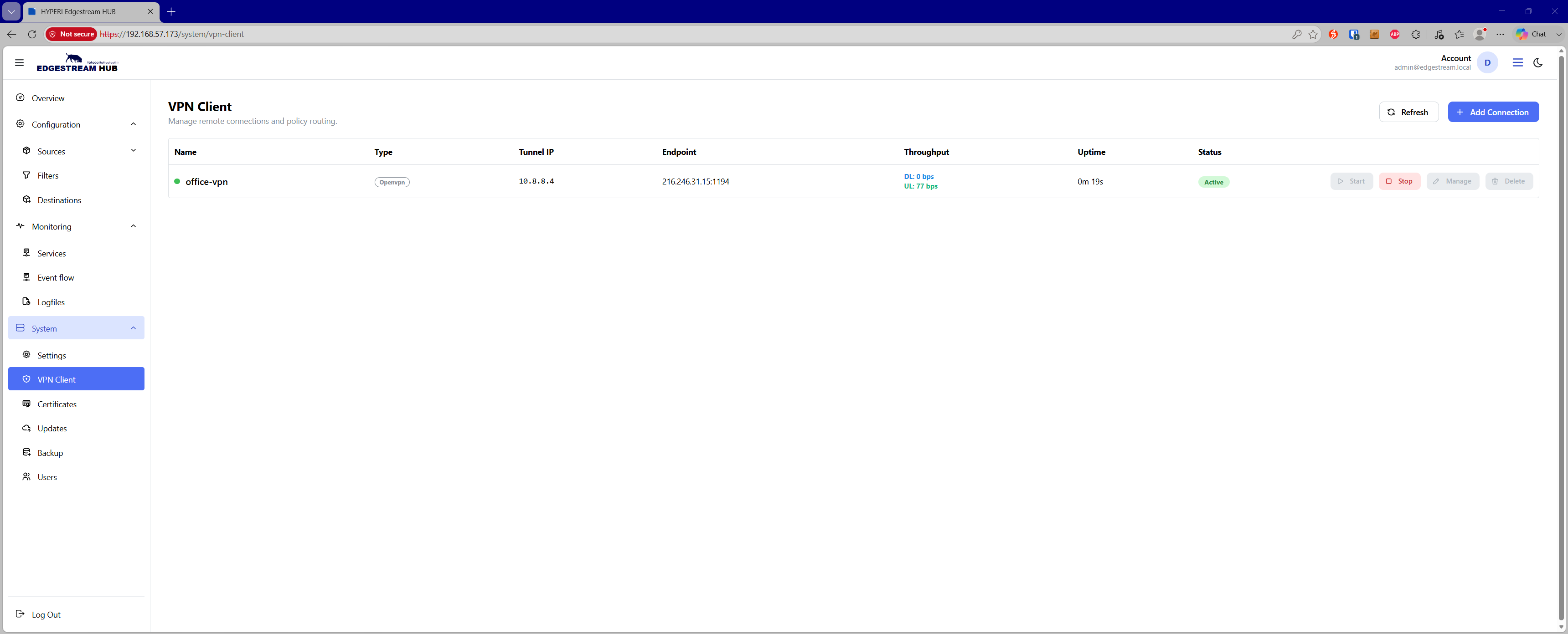
Connection Overview & Lifecycle Management
The client table provides real-time operational telemetry for every configured VPN tunnel:
Status & Health — Live indicators display tunnel states (Active, Connecting, Pending, Failed, or Inactive).
Live Telemetry — Displays assigned Tunnel IP addresses, remote Endpoint targets, real-time download (DL) and upload (UL) throughput rates, and session uptime.
Service Actions — Directly Start or Stop VPN tunnels on demand.
Safe Configuration Edits — The Manage button is protected and requires active VPN tunnels to be stopped before modifying configuration parameters.
Auto-Start Support — Connections can be configured to start automatically on system boot.
VPN Protocols & Authentication
Administrators can provision connections using two supported VPN protocols:
WireGuard — Lightweight, high-speed tunnel configuration via standard
.conffile upload.OpenVPN — Enterprise tunnel deployment supporting
.ovpnand.confprofiles, with optional user/password credential authentication.
Routing & Policy Enforcement
Push Route Precedence — If an OpenVPN server has
push routeoptions enabled, pushed server routes will automatically take precedence and overwrite individual routing options.Destination Routing — Define specific target destination networks or host CIDRs (e.g.,
10.0.0.0/8,192.168.50.10/32) to route outbound event traffic exclusively through the VPN tunnel.Kill Switch — When enabled, blocks all traffic to the configured destinations if the VPN connection drops, preventing sensitive telemetry leaks over unencrypted networks.
Advanced Packet Tuning
MTU (Maximum Transmission Unit) — Set packet sizing to Auto or define a custom byte limit (576–9000 bytes) to prevent packet fragmentation.
MSS (Maximum Segment Size) — Manage TCP MSS clamping (Auto, Custom between 536–8960 bytes, or Off) to optimize segment sizes across constrained WAN links.