Managing PKI Certificates
PKI certificates are used within Edgestream Hub for sources, sinks and the web interface. To use a PKI certificate it must first be uploaded to the Edgestream Hub through the Certificate Store and is then available for selection within the appropriate source, sink or web interface configuration settings.
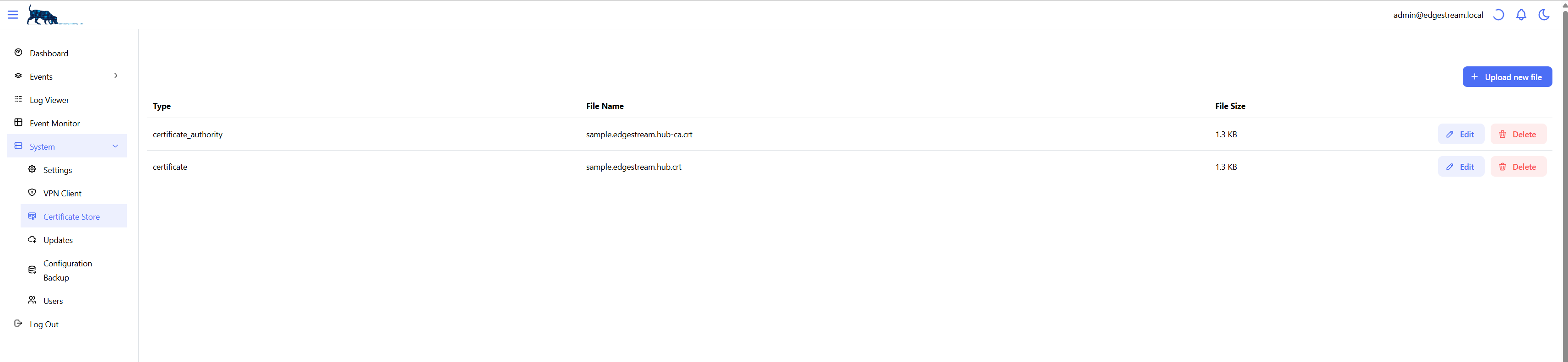
To upload a PKI certificate, navigate to System -> Certificate Store and select Upload new file.

Select the file to upload and specify the certificate type:
Certificate Authority
Certificate
Private Key
If the private key requires a passphrase this is entered in the configuration for the source, sink or web interface configuration settings.
The Filename and Certificate Type can be edited.
Note
Filenames are unique.
To modify the contents of a certificate upload a new certificate.