Creating TLS Certs with TinyCert
Create an account and log into tinycert.
Certificate Authority
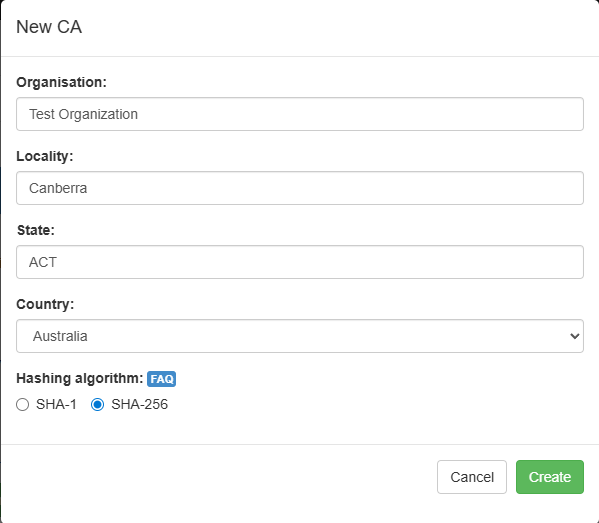
Under certificate authorities, select +Create…
Fill in appropriate values for the criteria and select Create:
Select the newly created certificate authority so it is visible.
Download the certificate. Click Download -> CA Certificate.
Requests/Certificates
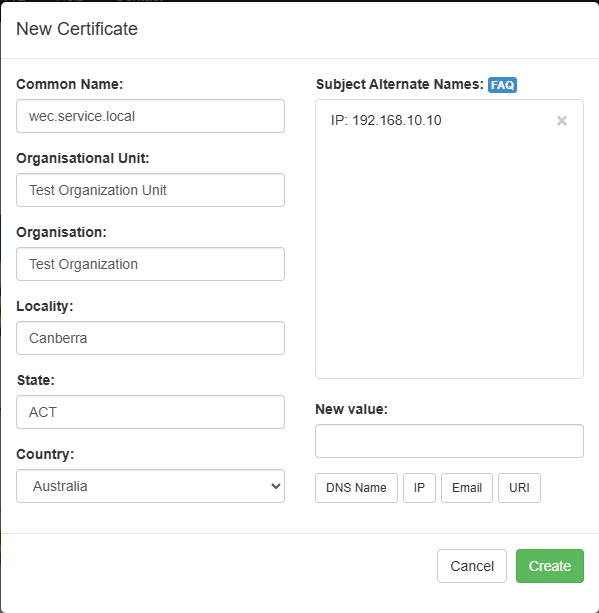
Under Requests/Certificates select +Create…
Fill in appropriate values for the criteria and select Create:
Download the certificate and private key. Select Download, and then download the Certificate and Private key (clear).